Offer Monthly Property Tax Payments for Your Taxpayers
Monthly Payments
for Taxpayers
Give taxpayers a way to manage property taxes through automated monthly payments.
Powered by
EscrowCloud
EquaPay uses EscrowCloud to support billing data, payment plans, and tax office payments.
Simple for
Tax Offices
Your office can offer a taxpayer-friendly payment option without changing tax software or adding new infrastructure.
Already Using EscrowCloud?
If your tax office already uses EscrowCloud and you're ready to enroll in EquaPay, getting started is simple. Once you let us know you want to enroll, the EquaPay team will complete setup within 3 to 5 business days and help you get up and running so your taxpayers can begin taking advantage of monthly payments for your tax office.
Enroll Your Tax OfficeNot Using EscrowCloud?
The first step to offering monthly property tax payment plans is using EscrowCloud, Autoagent's patented platform that helps tax offices manage payments from banks, servicers, and escrow companies. EscrowCloud powers EquaPay by using property tax billing data to support monthly payment plans and deliver payments to the tax office as one bulk payment each tax cycle.
Learn About EscrowCloud and Book a DemoHow Will My Taxpayers Use It?
The most important part of taxpayer adoption is promotion. A recent study showed that when a tax office promotes EquaPay there is 32 times higher enrollment rates compared to zero promotion. Once EquaPay is enabled, you'll have access to downloadable marketing assets and your office can begin promoting them on your website and through offline communication channels.
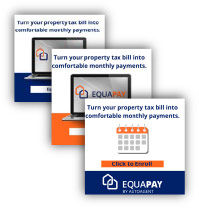
Website & Social Media
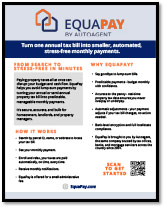
Print Brochure
Mailer Insert

What taxpayer demographic does EquaPay primarily serve?
We've found that 85% of enrolled EquaPay taxpayers are age 55 or older, and 95% enroll to make monthly pre-payments on their primary residence. EquaPay is an ideal solution for taxpayers who no longer have mortgage escrow, are living on a fixed income, and want a predictable, efficient way to manage property tax cash flow.
Frequently Asked Questions
To get started, click here.
The service is funded by a nominal transaction fee paid by the taxpayer. This fee covers:
- Interchange rates charged by the payment processor
- Platform development and ongoing maintenance
- Customer service and taxpayer support
- Accounting and balancing operations
- Legal and compliance infrastructure
This model ensures your office can offer EquaPay without budget impact, while still delivering a secure, full-service monthly payment solution.
Payments are submitted through EscrowCloud, along with all required reports and batch files needed for posting. EquaPay stops accepting payments 10 days before the due date to allow for account reconciliation. As long as taxpayers complete their payments, their taxes will be paid on time.
Once tax bills are certified, EquaPay adjusts the remaining payments, so the exact tax bill amount is collected.
- Credit / Debit Card: 2.5%
- Bank Checking / Savings: $1.00
Tax offices not currently using EscrowCloud must complete the EscrowCloud setup process first. That process typically takes 2 to 3 weeks, followed by EquaPay setup.